
Trade With Fusion Markets on TradingView
Access TradingView’s premier charting and analytical tools, used by 50M+ traders globally. Use your Fusion Markets account to trade Forex and CFDs, run scripts and more.





We started Fusion Markets with the simple mission of lowering the cost of online trading. True to this, we offer the lowest trading costs on TradingView1 plus a range of other benefits.

Use your linked TradingView account to trade at least 2 lots of FX Majors or Metals each month, and you’ll receive a free month of TradingView.

With spreads from 0.0 and $2.25 per side commission, our commission rate is the lowest amongst our competitors on average.

15+ interactive and responsive chart types with 90+ drawing tools and a wide range of customisations. 100+ pre-built indicators for popular strategies and thousands more custom-built in the community.

With Fusion Markets, you can start with as little or as much as you like with no hassle because we’ve removed all fees and deposits on all of our 25+ methods of funding including Visa, MasterCard, PayPal and more.

When we say we want to lower the price that people pay to trade forex, we mean it. That’s why we've received the title of "best discount broker" for 4 consecutive years.

Never trade alone by communicating with and following top community traders from around the world.
1Based on a comparison of spreads and commissions of all FX/CFD brokers available on TradingView conducted 16 January 2024.
^Fusion Markets has received the title of “best discount broker” in 2020, 2021, 2022, and 2023 from Brokerchooser.com.
Pine ScriptTM is a proprietary programming language developed by TradingView that empowers users to formulate trading strategies and indicators with ease.
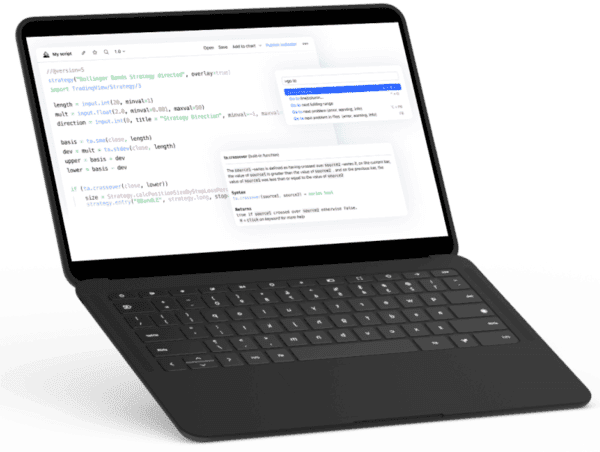

Automate your trading strategies with VS Code compatibility
Built in functionality simplifying hundreds of lines of code down to just two.
Powerful graphic tools to visualise your trades.
Tight Spreads on 150+ Instruments
For a full list of our trading instruments, visit our Trading Conditions page.
Trade Fusion Markets with TradingView in three simple steps:

Open a Fusion Markets TradingView Account
It only takes 5 minutes, just fill in your personal details, account details and verify your ID.

Connect your Fusion Markets account with TradingView
Select "Fusion Markets" from the TradingView broker list, enter your account details, and connect.

Start Trading on TradingView
Fund your account and start trading our 150+ financial instruments on TradingView's advanced charts.

Access the TradingView website and click the “Get started” button at the top right corner. To connect your TradingView account with your Fusion Markets account, follow the below steps.
1. Log in to TradingView on your preferred device.
2. Open a TradingView chart.
3. Open the Trading Panel at the bottom of the chart.
4. Select “Fusion Markets” from the list of brokers.
5. Click "Connect" if you already have a Fusion Markets trading account.
6. Click "Open Account" if you want to create a new Fusion Markets trading account.
8. Once logged into the Client Hub go to “Accounts” and choose to create a new “Live Account”.
9. Under Trading Platform select “TradingView”.
10. Open a TradingView chart and start trading.
1. Click the "Create an account" button in the top right corner of your screen.
2. In the Client Hub, while opening a live account, choose TradingView as your platform.
3. Go to TradingView, find the Fusion Markets broker profile, and connect the accounts.
TradingView integrates with cTrader's backend to facilitate trade execution. This allows traders to leverage TradingView's sophisticated charting tools, utilise cTrader's efficient trade execution capabilities, all while enjoying competitive spreads provided by us, Fusion Markets.
So, you may receive emails from cTrader, they'll even send you login details that you can use to login to cTrader itself if you decide you'd like to try cTrader. You'll receive your TradingView login details from us, Fusion Markets, and those are the credentials you'll use to log into TradingView.